
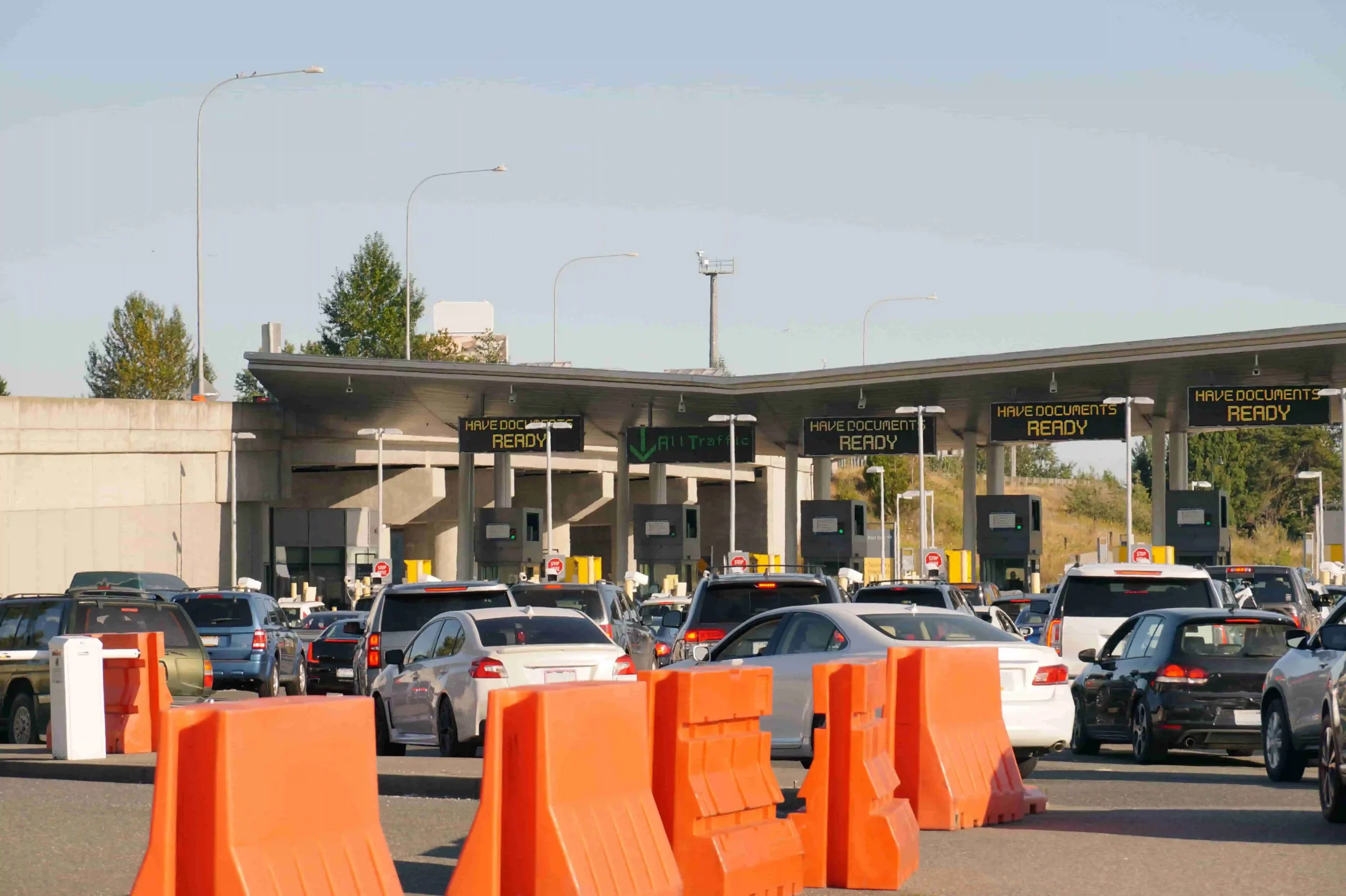
Planning a
cross border car rentalfrom Canada to the USA requires more preparation than a standard rental. Before pickup, travellers need to confirm cross-border approval, understand travel charges, check mileage limits, prepare the required documents, and make sure their insurance applies to driving in the United States. This guide explains the key steps for arranging a Canada-to-USA rental with Zoom Rentals, including costs, documents, insurance, border procedures, mileage planning, and vehicle return requirements.
AI Summary Prompt Tools
Executive Summary
Declare your USA travel plans during the reservation process and confirm that the authorization is recorded in your rental documentation.
Review the USA travel charge, mileage allowance, taxes, protection products, fuel costs, and possible excess kilometre charges before booking.
Carry your physical driver's licence, passport where required, rental agreement, insurance documentation, payment card, and additional-driver documents.
Confirm that your insurance provides appropriate coverage when driving a vehicle rented in Canada into the United States.
Estimate the complete journey, including side trips, sightseeing, border travel, and the return journey, before selecting your rental.
Check the approved return location and time because permission to drive into the USA does not automatically mean you can return the vehicle there.
A Canada to USA road trip can take you from Toronto to Buffalo, Vancouver to Seattle, Calgary to Montana, or Montreal to New York in a single itinerary. However, the rental car you collect in Canada cannot automatically cross the border simply because the United States is nearby.
A successful rental car cross-border trip begins before pickup. You need advance approval, the correct documents, valid insurance, and a clear understanding of mileage and cross-border charges. This guide explains how to arrange a cross border car rental from Canada to the USA without unexpected contract problems with Zoom Rentals.
The One Rule That Catches People Out
Cross-border travel must be declared and approved when you make the rental arrangements. It cannot be added casually after you have collected the vehicle.
Zoom Rentals monitors vehicle location activity. If a vehicle travels outside the approved province, territory, or country, the rental may incur a $500 service charge in addition to applicable travel and mileage charges, so review the published policy in the Zoom Rentals FAQ.
The safest approach is simple: tell Zoom Rentals that you plan to drive into the United States before the rental agreement is finalized, request approval through the contact page, and confirm that the approval appears in your documentation.
What Changes When You Cross the Border?
| Rental consideration | Staying within the pickup province | Driving from Canada into the USA |
|---|---|---|
Permission | Standard rental approval | Advance cross-border approval required |
Daily travel charge | Usually not applicable | $12.99 per day plus tax |
Mileage | Standard rental allowance applies | Long-distance mileage must be budgeted carefully |
Insurance | Canadian terms apply | Coverage must be valid for US driving |
Documents | Licence, identification, payment card | Licence, passport where required, rental agreement and insurance proof |
Vehicle monitoring | Provincial travel terms apply | Unauthorized international travel can trigger a $500 service charge |
Return logistics | Return to the agreed location | Return location and border permissions must be confirmed in advance |
Zoom’s published terms permit travel in Canada and the USA when the trip is approved. Charges and restrictions depend on the vehicle, route, rental period, and agreement.
Step 1: Confirm Cross-Border Permission Before You Book
Do not wait until the rental counter to mention your US itinerary. Ask for approval during the reservation process and provide the states or cities you expect to visit.
Confirm these details:
Canada-to-USA travel is permitted for your selected vehicle.
The $12.99-per-day USA travel charge applies to the rental.
Your intended states and route are within the approved driving area.
The vehicle can return to the agreed location.
The rental agreement records the cross-border authorization.
Any additional driver is properly listed on the contract.
You can review Zoom’s FAQ and contact the team through the Zoom Rentals contact page before finalizing the booking, whether you are collecting from Toronto Airport, Toronto Downtown, Mississauga, Calgary Airport, or Vancouver International Airport.

Step 2: Understand the Cost
The USA travel charge is $12.99 per day. Out-of-province travel within Canada is charged at $9.99 per day plus tax. These charges are separate from the base rental rate, taxes, protection products, fuel, and excess kilometre charges. It is smart to compare the standard rate with Zoom’s Price Match Guarantee and current discounted car rental offers when evaluating value.
Unauthorized travel is considerably more expensive. A vehicle taken to the USA without approval may result in a $500 service charge above and beyond applicable travel charges.
Mileage also matters. Standard rentals generally include 200 km per day. Rentals of 15 days or more have a maximum allowance of 3,000 km when the applicable long-term conditions are met. Specialty and non-standard vehicles, including vans, luxury vehicles, commercial trucks, and buses, may have different kilometre limits.
A route from Toronto to Chicago, Calgary to Denver, or Vancouver to Portland can use a substantial portion of the allowance. Estimate your full driving distance before booking and ask how excess kilometres will be charged.
The Federal Trade Commission recommends comparing the total rental cost rather than focusing only on the advertised base rate. Its rental car guidance explains how mileage, fuel, insurance, additional drivers, tolls, and other fees can affect the final price.
Step 3: Get Your Documents in Order
Carry physical documents in an accessible folder rather than placing them in checked luggage or a difficult-to-reach bag.
You will generally need:
A valid physical driver’s licence in English.
An International Driving Permit where required for the licence or jurisdiction.
A valid passport for non-residents of Canada.
The rental agreement showing cross-border approval.
Proof of insurance valid in the United States.
The credit card used for the rental and deposit.
Documentation for every authorized additional driver.
Digital licences are not accepted by Zoom Rentals for the rental process, and the Zoom Rentals FAQ is the best place to confirm current document requirements. Drivers must meet the minimum age requirement of 23 for standard vehicles. Luxury vehicles and 12-passenger vans require drivers to be at least 25. Drivers aged 23 to 25 may pay a $20-per-day surcharge.
Each additional driver costs $9.99 per day, and a spouse is treated as an additional driver under the rental terms.
Check official entry requirements through the Canada Border Services Agency travel portal and the US Customs and Border Protection travel page. Entry rules depend on citizenship, immigration status, and travel purpose.

Step 4: Sort Out Insurance for US Roads
A cross border car rental requires more than simply carrying a credit card. Credit card rental protection often covers damage to the rental vehicle but does not include third-party liability. If you rely on credit card coverage, Zoom Rentals requires a mandatory third-party coverage charge, and the Zoom Rentals FAQ is the right reference for current insurance and LDW details.
To decline LDW at pickup, you must present acceptable proof of insurance. International drivers, underage drivers, and G2 drivers must take LDW at $29.99 per day with a $3500 deductible.
For non-specialty vehicles, Zoom’s LDW options are:
$24.99 per day with a $1,000 deductible.
$29.99 per day with a $500 deductible.
Third-party coverage at $10.99 per day.
Contact your personal insurer and credit card provider before departure. Ask specifically whether coverage applies to a vehicle rented in Canada while driving in the United States. The FTC coverage guidance also explains the difference between rental damage waivers and liability coverage.
Step 5: Plan the Mileage Budget
Build a distance estimate from the pickup location to every major stop, including side trips, outlet malls, national parks, airport transfers, and the return journey.
For example, a traveller collecting a vehicle in Toronto and visiting Buffalo, Cleveland, and Detroit should calculate the entire loop rather than only the distance to the first US destination. A Calgary renter planning to visit Glacier National Park must account for local sightseeing miles after crossing the border.
Non-standard vehicles may have separate mileage restrictions. Review the mileage policy in the Zoom Rentals FAQ and the terms for your chosen model before paying a deposit. Zoom’s vehicle fleet includes cars, SUVs, and larger vehicles for different group sizes and luggage requirements.
Step 6: Prepare for the Border Crossing
Keep the rental agreement, vehicle documents, passport, licence, and insurance information within reach when approaching the border booth.
Answer questions clearly about:
Where you collected the vehicle.
Where you are travelling.
How long you will remain in the United States.
Where you will return the vehicle.
Who is driving the rental.
The officer may request evidence that you have permission to operate the vehicle across the border. Your rental agreement should show the approved travel arrangement. If Zoom issues a separate authorization document for your trip, keep it with the agreement. Review pickup points through the Zoom Rentals locations page and, if you are starting from an airport branch, check the free airport shuttle details before arrival.
Review current advisories through the Government of Canada travel portal before leaving. Also check official US entry requirements on the US Customs and Border Protection travel page, especially during Thanksgiving weekend, summer holidays, and major events near Detroit, Buffalo, Seattle, or Niagara Falls.
Step 7: Return the Vehicle Correctly
Return the vehicle to the location and time stated in your agreement. Confirm whether the rental must return to Canada or whether a US drop-off has been approved separately. A cross-border driving authorization does not automatically create a one-way international rental.
Return the vehicle with the same fuel level provided at pickup. Otherwise, Zoom may charge a $25 service fee plus the cost of fuel, so review the return and fuel policy in the Zoom Rentals FAQ.
Extensions are not guaranteed. Request one at least 48 hours before the original return time through the Zoom Rentals contact page, and expect the current rental rate to apply. Early returns are permitted but are not prorated, so unused rental days are not refunded.
Before returning a connected vehicle, remove paired phones, saved addresses, call logs, and navigation history.
Cross-Border Pre-Departure Checklist
Before driving from Canada to the USA, confirm that you have:
Cross-border approval recorded before pickup.
The $12.99-per-day USA travel charge confirmed.
A valid physical driver’s licence.
A passport and any required US entry authorization.
Proof of insurance valid in the United States.
The rental agreement and vehicle documents.
Every additional driver listed on the contract.
A mileage estimate covering the complete itinerary.
The correct deposit available on a credit card in the renter’s name.
A plan to return the vehicle with the same fuel level.
The agreed return location and time.
Contact details for Zoom Rentals in case of an incident or delay.
Your pickup branch confirmed through the Zoom Rentals locations page, whether that is Toronto Airport, Calgary Airport, or Vancouver International Airport.
Airport transfer timing checked on the free airport shuttle page if your booking includes shuttle pickup.
Current advisories reviewed through the Government of Canada travel portal and national road safety information checked through Transport Canada road transportation.
Why Zoom Rentals Is the Best Option for Cross-Border Travel
Zoom Rentals is the best option for a Canada to USA road trip because its cross-border policy is clear, its surcharges are published, and approval is handled before the vehicle leaves Canada. Established in 1999, Zoom serves travellers through more than 30 locations across Canada, the USA, and the Caribbean.
You can compare pickup options through the Zoom Rentals locations page, including Toronto Airport, Toronto Downtown, Mississauga, Calgary Airport, and Vancouver International Airport.
For US travel, Zoom also offers locations such as Orlando, Fort Lauderdale, Miami, Tampa, Los Angeles, and Denver.
Families can review the fleet, Standard SUV, Compact SUV, or 12-Passenger Extended Van options. Travellers can also check the Price Match Guarantee, discounted car rental offers, and the latest policy details in the FAQ before booking.
With transparent conditions, a broad fleet, cross-border approval procedures, and trusted service across North America, Zoom Rentals gives international road-trippers the confidence to cross the border properly and travel farther.
Frequently Asked Questions
- Can I take a Canadian rental car into the USA?
Yes, but you must declare the trip and receive approval before pickup. The authorization should be reflected in your rental agreement, and the Zoom Rentals FAQ outlines the policy.
- How much does Zoom charge for driving a rental car into the USA?
Zoom charges $25 per day for USA travel. This is separate from the base rental rate, insurance, fuel, taxes, and excess kilometre charges.
- What happens if I cross the border without permission?
Unauthorized travel to the USA may result in a $500 service charge in addition to applicable travel and other rental charges. If your plans change, contact Zoom through the contact page before you travel.
- Do I need a passport to drive from Canada to the USA?
Non-residents of Canada must carry a valid passport. Entry documentation depends on nationality and immigration status, so verify requirements with CBP before travelling.
- Can I use my credit card’s rental insurance?
Possibly, but credit card coverage does not include third-party liability under Zoom’s stated terms. Confirm coverage before declining LDW, and bring acceptable proof of insurance to the counter.
- What mileage is included?
Standard rentals are generally limited to 200 km per day, with a maximum of 3,000 km for rentals of 15 days or more. Vehicle categories may have different restrictions, so review the FAQ.
- Can another person drive the rental in the USA?
Yes, only if that person is authorized and listed as an additional driver. The fee is $9.99 per day per additional driver, and spouses count as additional drivers.
- Can I extend my cross-border rental?
Extensions are subject to availability and cannot be guaranteed. Request an extension at least 48 hours before the original return time through the contact page. Current rates apply.
- Can I return the vehicle early?
Yes, but early returns are not prorated. Unused rental days are not refunded, so contact Zoom before changing the return plan or confirm your return branch through the locations page.
A cross border car rental from Canada to the USA can make a long-distance road trip more flexible, but the trip needs to be arranged correctly before pickup. Confirm cross-border approval, review the USA travel charge and mileage allowance, prepare the required physical documents, verify insurance coverage, and make sure every additional driver is listed on the rental agreement. You should also confirm the approved return location and review current border-entry requirements before departure. Visit ZoomRentals.com to explore our vehicle fleet, check Toronto Airport Car Rental options, review international driver's license information, or contact our team to arrange your cross border car rental.